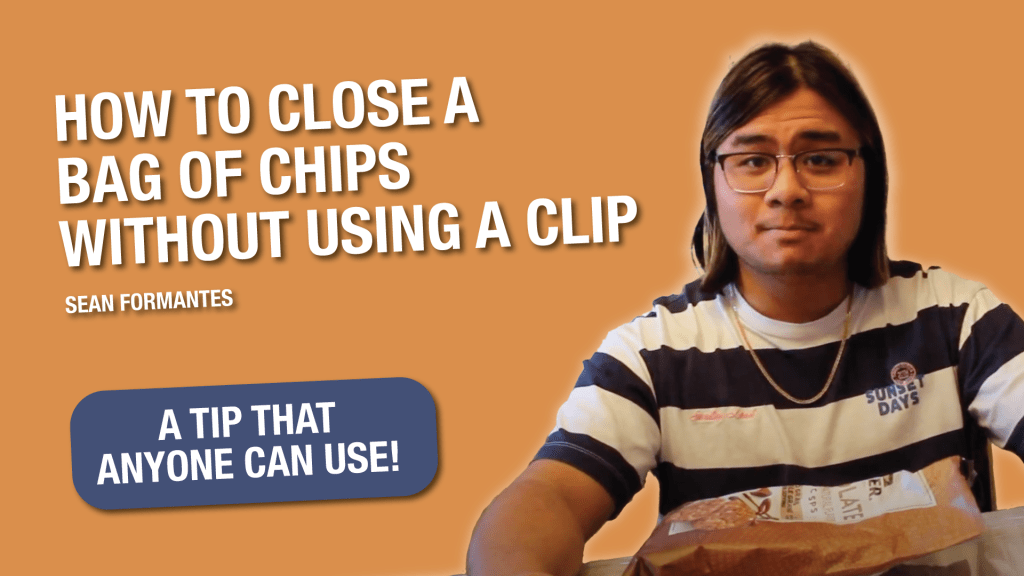
Ever wondered how you could close a bag of chips without using a clip? Don’t worry – I did the research and found the answer. If you want to learn how to do this, I made a how to video explaining the process, which you can find at the bottom of this blog post. The purpose of the project, however, was not just to make a step-by-step tutorial, but to create a single-cam project with a focus on continuity.
Reading and Writing
This week, I read chapters 3 and 4 from The Bare Bones Camera Course for Film and Video, written by Tom Schroeppel.
Chapter 3 discussed the basic sequence, and gave a general overview of the different types of shots. Schroeppel also writes about how cutaways can be used “to enhance the story.” However, I found the most interesting – and evidently, most helpful – tip from Schroppel was about cutting to a new shot while an action is taking place. “Your viewers’ eyes naturally follow movement on the screen” writes Schroeppel. “If a movement begins in one shot and ends in the next, your viewers’ eyes will follow the action right across the cut, without paying much attention to anything else.”
In the process of making my own how to video, I found this tip to be extremely helpful. It became clear while I was editing that piecing two shots together in the middle of an action makes for a visually seamless experience. The action also comes across as continuous, even though in reality, it was taken at two different times. I switched shots on the action multiple times in my how to video – and it makes even minor continuity errors hard to notice.
Another tip Schroeppel gives in the chapter is his final one to cover a scene with multiple shots. That way, the editor can “cover” themselves with everything they could possibly need in the editing room. “Only amateurs and some geniuses plan on making every cut a match cut” writes Schroeppel. “The more you cover yourself with changes in image size, changes in camera angle, cutaways, overlapping actions, and clean entrances and clean exits, the better your final product will be.”
The idea of taking multiple shots of the same thing made sense to me. It helps to have a range of options to choose from when putting the final piece together, and I knew that from my previous experiences editing videos. But I did not truly realize how important this was until I filmed my how to video with a single camera, where it especially helps to take multiple shots if the editor is concerned about continuity – which was my case.
For example, even if I positioned myself the same way in all the shots, there are instances in which my hands might be in a different place a certain shot. In which case, for particular spots, I would be down one or two other shot options due to the continuity error. Taking multiple shots prepares the editor for the inevitable, because there will come some instances in which some shots just aren’t usable, or won’t give you what you’re looking for.
Chapter 4 was focused on the topic of screen direction. Initially, Schroeppel’s overview did not make sense, and it took me a while to process. However, after reflecting on the topic for a couple minutes, his words finally made sense.
Schroeppel gives the example of an imaginary line which the camera cannot cross – otherwise, the sequence comes across as somewhat disorienting to the viewer. “The line is also known as the axis of action, or simply the axis” writes Schroeppel.” “When you cross the line, you reverse the screen direction of everything you see through the camera, even though nothing has moved but the camera.” For example, if you get a side shot of a man speaking in which you see his left shoulder, the cameraperson shouldn’t step over the line and get a shot of the same man but seeing the right shoulder. (Theoretically, you could, but it should not be edited in this manner). The only way to effectively cross the line is to include a shot taken on the line itself between the two shots.
Although there was not an instance in my how to video in which I would have to cross the line, this tip did make me aware that it existed. I focused on making sure that I did not cross the imaginary line – the imaginary axis, that ran through the bag of chips. All of my shots were taken in front of where I was positioned, leaving out any cause of concern. As Shcroeppel writes, “As long as you don’t cross the line… you can move people, things, and camera anywhere you want.” However, I am more confident in knowing that I will be aware of the axis in future projects, and know how to cross the line if needed.
I also appreciated Schroeppel’s final reminder from the chapter: “Nothing exists for your viewers except what you show them.” This concept has made me appreciate videography more than I have previously. The process of recording and editing video is an art as much as it is a science, and camera people/editors have the responsibility – and the privilege – of framing the shot specifically as they see fit.
Research to Inform
To prepare to record my how to video, I researched music videos on YouTube that demonstrate continuity through a multitude of angels.
“Für Elise” – Jon Batiste
This first video comes from Jon Batiste playing his jazzed–up rendition of Für Elise. Since Batiste is playing a classical piece, the video is set in a well-lit room with him playing the piano. This video demonstrates continuity, as Batiste’s motions in playing the piano consistently flow with those in the following shots. It is noticeable that the video was done in multiple takes, as we never see the camera, even though logically, the “wideness” of some shots would show the camera used to take the next shot. (For example, at 1:58, there is an over the shoulder shot of Batiste from the back, immediately followed by a shot of him from the front. If this were taken with multiple cameras, we would theoretically be able to see the camera behind Batiste in the second shot). Case in point: the song is continuous, so Batiste’s motions should match this fact. The only concern I have with this video is how there are several over the shoulder shots of Batiste, which one can argue does cross the line. However, despite this, the video seems to flow continuously, and I can’t pinpoint exactly why this is.
“Hallucinate” – The Nor’Easters (opb. Dua Lipa)
As a member of an a cappella group, I can’t go through music videos without highlighting one of the best collegiate a cappella groups of this time, the Nor’Easters. In their version of Hallucinate by Dua Lipa, there are mostly cuts from different shots clearly taken at different times. However, there are moments where continuity is used. One of these are the shots from 0:23-0:29, which include wide and close shots of the soloist taking a seat amongst other members. This sequence would require multiple takes with a single camera (a hypothetical multi-cam set up would catch the close-up camera in action during the wide shots). The same can be said of the close up to wide shot of the dancers shown in 1:21-1:22, where there are cuts on the action itself, making a continuous effect.
“Die With A Smile” – Bruno Mars and Lady Gaga
Bruno Mars and Lady Gaga recently collaborated to create the song “Die With A Smile.” In this music video reminiscent of the 60s (or perhaps another decade close by), we see Bruno Mars playing the guitar, and Lady Gaga sitting at the piano, in what seems to be an old TV studio filled with mannequin audience members. This “performance” requires continuity, as seen throughout the video. There are multiple shots in which the camera switches to the same subject from a different angle (even in very quick sequences like those leading up to the chorus), however, the motions are consistent with what is established in the previous shot. Cuts are made on the actions themselves, which also helps to create the sense of continuity.
There is, however, a continuity error starting at 2:52. In the first shot, we see Lady Gaga stand up towards Bruno Mars as he holds the guitar up. In the next shot, Bruno Mars is seen slamming the guitar down in a continuous movement, but Lady Gaga is now standing towards the camera. Alongside this, there is suddenly a cigarette in Lady Gaga’s mouth; one she was only holding in her hand a second prior.
Create
With the reading and research having been done, hereby present to you may how to video, which will teach you how to close a bag of chips without using a clip.

 Perfectly Imperfect
Leave a comment