Reading and Writing
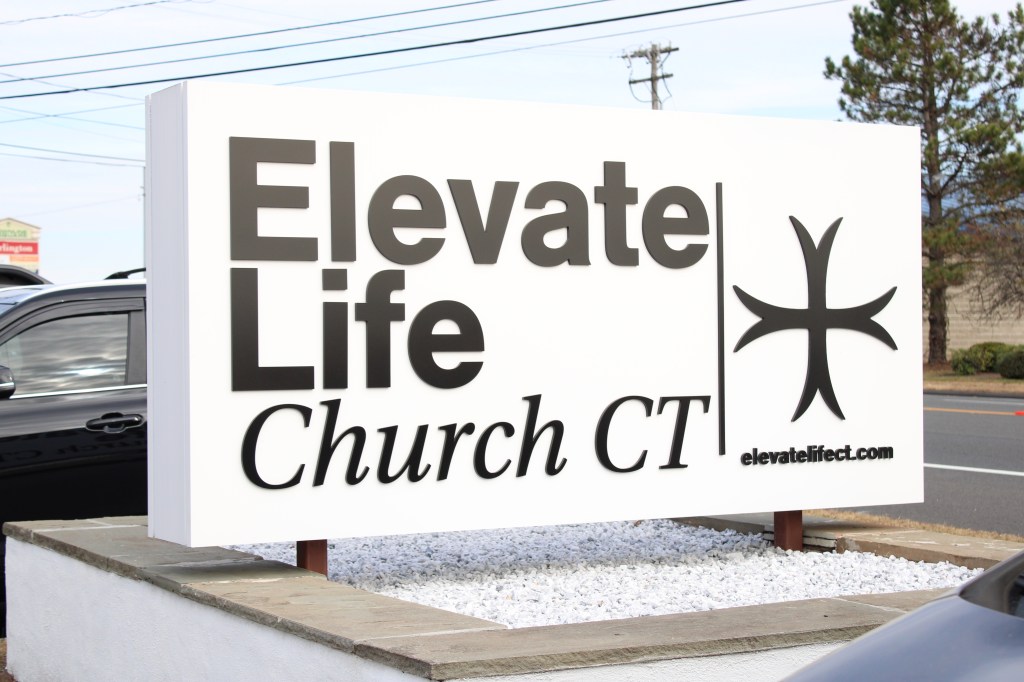
This week, I created a montage for my church, Elevate Life. (Scroll down to the “Create” section of this article to watch the full video). The project was a ton of fun to work on – and so was the post-production process!
To prepare for the editing process, I read chapter 10 of The Bare Bones Camera Course for Film and Video by Tom Schroeppel, which gave a lot of editing tips. I learned a lot of things that I didn’t know – for example, I’ve been doing L cuts in my job and never knew that there was an actual term for them.
Even more importantly though, was Schroeppel’s reflections on separating the director from the editor. It’s an important mindset to have, and it reminds me a lot of the “why bother” method I consistently use whenever I make something. “Your viewers don’t care how much trouble you had getting the camera into position and waiting for just the right light” writes Schroeppel. “That’s all off-screen; all that matters is what the viewers see on the screen, in the window that you control.” In being an editor myself, I’ve found myself being attached to shots that just do work. At the end of the day, Schroeppel is right – if it doesn’t work, the viewers don’t care that I like it.
I also enjoyed Schroeppel’s description of what it means to be an editor. “As a film or video editor, you edit the reality of your viewers,” writes Schroeppel, adding, “you control the window through which they see and hear the world of your program.” The viewer does not see anything that the editor does not show. In essence, the editor determines the overall message that will be converted to the audience through the art of film. This is a huge responsibility, and one that has to be done effectively and engagingly.
Luckily, Schroeppel gives some tips to do editing well. This includes establishing a new setting every time it is switched. “As an editor,” writes Schroeppel, “your first priority is to establish the world of the program for your viewers, to introduce them to this new reality and make them comfortable in it.” By using an establishing shot, the editor tells the viewers where they are. For example, in Friends, there’s a shot of the exterior of the Central Perk cafe before the camera moves inside.
Additionally, Schroeppel recommends using basic sequences, using different shots so that the viewer doesn’t confused, and pacing at an effective rate (sort of like podcasting). But something that stood out to me were his recommendations on style; mainly, ‘With the exception of montages, the best editing style is usually transparent and not noticed.” Which means that for this project, the editing style should be noticed – and the way that I combine all of the editing tips will determine that noticeable style in the church’s montage video.
Research to Inform
To prepare for the production and post-production phases of this montage, I researched some other videos for inspiration. I looked for videos with different editing styles, and here, I’ll break down the differences in each.
2AM Coffee – Forrain
This short film by Forrain on YouTube tells a story of a guy’s bike getting stolen when buying coffee at a convenience store at 2am. I chose this film because of its simplicity, both in edits and in its storyline.
It starts out with a dark screen, then, immediately cuts to a wide establishing shot of the scene, which takes about 6 seconds. From 0:26-0:30, we see an interesting pan that quickly turns into a move-in shot. The editor’s pacing fares slower – interestingly enough considering the entire film is short of two minutes. Notably, the shot of the character looking for a drink in the fridge takes 13 seconds. We also see a lot of shots that pan and move-in to follow the character’s movement. The transitions between shots are all jump cuts, and no other transitions are used. In my mind, the editor chose to incorporate slower-moving edits and fast pans and move-ins to build suspense in what seems like such a simple story.
Meet Me At Our Spot – iPhilGood
For the second film, I chose another short called “Meet Me At Our Spot” by YouTuber iPhilGood. I chose this film because of its unique proposition of being completely shot on an iPhone (which goes to show it’s not the technology that makes the creative, but how the creative uses the technology!)
The beginning includes a lot of close ups – first at the character’s book, then of him at the desk, then of the note. These close-ups are in sharp contrasts to the wide shots of the character dancing, which also take up time. The shot of the character dancing in the hallway at 0:25 takes around 12 seconds, and the wide pan outside the building at 0:38 takes about the same amount of time. We see a creative pan starting at 0:58, which is the closest we’ve gotten to the character’s dance moves thus far, with more close shots and movements following after.
But at 1:31, the mood changes. The audio suddenly seems muffled, and we’re back to the wide shot. The close up at 1:57 mimics that of the beginning of the video – only this time, the character is at the bench. We see a not-as-close shot of the note again at 2:15, only this time, it reveals new information that leads us to emotionally question what happened in the character’s past. The extreme wide shot at 2:37 – taking a whopping 13 seconds – is the editor’s way of striking an emotional chord. The character feels distant, and so do we.
The editor most likely uses this combination of wide shots and close ups to take us on the character’s emotional journey. They reflect his moments of happiness and sadness; they either give us a more honest view of his character or repress further insights about his feelings.
ROUTINE – Gawx
The last film I chose is the most unique of the two. It is a narrated film by YouTuber Gawx name ROUTINE. What’s notable about this video is although the editing is complex, almost all but three of the shots in this video are still; most likely having been recorded on a tripod.
From the beginning to 0:06, we see a variety of still shots that take 2 seconds each. We then move into a montage of one-second shots until 0:16 with jump cut transitions. This leads us into a cool overlay of the same shots from 0:19-0:23. It is worthwhile to note that any movement in these shots happens within the frame, and not through camera movement. The editor uses a lot of B-roll and some seemingly animated footage from 0:29-0:42, all of which is face-paced. From 0:43-0:48, we see a fast-paced roll of photos.
The same editing style we have seen thus far lasts until 1:27 – 1:29, where we see a line of four shots with a small but noticeable pan. What I find amazing is how the editor was able to make these different shots seem seamless and consistent, with the new shot finding our character around the seemingly same position he had left off.
The editor uses these fast-paced shots and overlays to convey the rush of the character’s thoughts. As the character dumps his life’s story through the voice over, we also see a dump of different shots and images.
Create
Elevate Life Church was founded in 2022 and builds on a more than 35-year legacy of a non-denominational ministry located in Wallingford, CT. In more than 2 years since the rebranding, Elevate Life has grown from 40 congregants to 1,100 across 3 weekend services. Because the church grew at such a rapid pace, they outgrew their previous facility and renovated a new property located on the town’s main road. This montage showcases this new facility while telling the story of the church’s rapid growth. I had a ton of fun making this, and hope you enjoy!

 Perfectly Imperfect
Leave a comment