Reading and Writing
This week, I started the pre-production work for creating a video montage. So, it’s a good thing that I read some chapters in Tom Schroeppel’s The Bare Bones Camera Course for Film and Video to give me a better idea of what I need to know. Admittedly, although I have worked as a video editor for the past couple of months, everything that I know currently is self-taught. This book gave me some valuable insights that I cannot wait to implement in my work.
Chapter 1 had to do with the basics of the camera. Since I have done photography in the past, I was already familiar with some of what Schroeppel discussed – mainly exposure and f-stops. However, I did pick up some handy information about lenses, including the different terms that are used to classify different shots. These include:
- Wide Angle: According to Schroeppel, “Includes a larger area than the normal lens at the same distance – good for cramped quarters where you can’t move the camera back any farther.
- Normal: This one’s self-explanatory… the normal distance at the lens’s default
- Telephoto: AKA the close up. “Includes a smaller area than the normal lens at the same distance – good for distant subjects where you can’t move the camera closer.”
Now that I’m more familiar with lens terminology, I can learn more about depth of field. This concept was completely new to me, but Schroeppel explained it effectively to a guy like me. Basically, focal length is the space in which the object is the sharpest – and that space gets larger or smaller depending on your focal length, aperture, and subject distance. There are five points Schroeppel shares (and I quote directly from the book):
- Your depth of field decreases as you increase your focal length.
- Your depth of field increases and you decrease your focal length.
- Your depth of field increases as you close down your aperture.
- Your depth of field increases as your subject gets farther from the camera.
- You always have less depth of field in front of your point of focus than behind it.
With this information, I will be able to more effectively use my lens and position myself to get the clearest and sharpest image possible. When taking a picture of, say, a person, I will choose an appropriate lens and focal length, and then make sure I have a good depth of field by changing my aperture and/or positioning my subject closer.
Chapter 2 had to do with composition, and discussed topics such as balance, leading lines, angles, and framing. My favorite part of the chapter, however, had to do with the rule of thirds. As a graphic designer myself, I was already familiar with the rule of thirds – although I didn’t know why exactly it works. Schroeppel writes that “the rule of thirds is an old, old theory about composition that still works pretty well. It won’t compose the picture for you, but it’ll at least give you someplace to start.”
To use the rule of thirds, you must “divide the frame into thirds horizontally and vertically.” After which, the subject should be placed at one of the intersections – which surprisingly, is something I did not know. For some reason, I had thought the subject should go in the box itself. I’m thankful to have reviewed this theory – it definitely corrected me, and now I’ll be able to use the rule of thirds properly!
Chapter 5 focused on camera moves, such as zooms, tilts, and pans. Schroeppel gave some interesting suggestions on how to use these moves effectively. He states that one should “begin and end every move with a well-composed static shot,” and that one should “always move from an uncomfortable position to a comfortable position.” I definitely agree that ending with a still shot would help with editing – I’ve edited moving shots together before, and it can be very jarring. The second tip is one that is new to me, but I understand the concept. When recording video at my job, there have been times where my arms get tired. This tiredness leads me to become sloppy with my camerawork, and it shows in the final cut. If I was intentional about how I positioned myself while filming, the tiredness wouldn’t kick in.
This chapter made me realize that a lot about camera work has to do with intentionality. You have to really think about when you’re doing certain moves, and how you position yourself and the camera during the production stage in order to get the best footage possible.
The last chapter I read (chapter 6) gave me a good introduction to a montage – which is great, because that’s what I’ll be making this coming week! According to Schroeppel, “A montage is a series of related shots used to condense time or distance, set a mood, or summarize information.” For my montage, I’ll be showing some scenes from my local church – a new building that we recently purchased, renovated, and moved into last September in Wallingford, CT.
In addition to the chapter from the book, I also read two additional articles. The first appeared on the One Market Media blog by Jimm Fox, and was titled “Video Pre-Production Planning Checklist.” The article featured 11 tips that range from budgeting to storyboarding, and focused primarily on video production in a business setting.
One point I enjoyed from Fox was about clearly setting the video objective. “If you can’t clearly articulate the business objective of your video” writes Fox, “you’re wasting time and money… Lack of clear focus is the principal reason why business videos fail.” As a content creator myself, I can testify that it is easy to just go through the motions. I confess that there have been times I have produced work for the sake of producing work. However, I have never created a “half-effort” project that actually got excellent results. Average work will always lead to a less-than-stellar reality.
Another thing I liked about the article was how straightforward and honest Fox was. “If the video production company you are talking to doesn’t ask about proposed distribution channels” writes Schroeppel, “then I’d suggest getting a second opinion.” That hurts, but it is the honest truth. Sometimes, I have not thought about the distribution channels for my content. I’ve created horizontal videos in times where I should have placed more emphasis on a vertical video instead; specifically for posting on Instagram and TikTok. When you take into consideration the channel, you can cater your work to that platform so that it will perform at its best. Besides, you don’t want to put hours of work into a video just for it to perform poorly!
The second and final article I read was on storyboarding. “Learn What is a Storyboard and How to Use it to Make Better Videos” was written by Amanda Athuraliya for the Creately blog, and covers all of the basics. Now, I must confess that I have made storyboards before – I recently did one for a motion graphic I produced – but a review is always good.
According to Athuraliya, a storyboard “is a tool that sketches different (in most cases, critical) scenes in the video you are about to make.” Each box in the storyboard showcases a frame in the video, and includes relevant information in the notes.
One tip which stood out to me was the use of the storyboard as a communication tool. The storyboard does not only serve as a guide for yourself, but a guide to communicate to others what your vision is. “Storyboards serve as a common language between you, your team, and the stakeholders engaged in the video production process, facilitating effective communication and collaboration” writes Athuraliya. “It enables simpler communication and coming to an agreement on the creative direction by providing an easily understood visual reference.”
Research to Inform
In preparation for my montage, I took the time to look for some videos with amazing visual composition. Because I’m a musician, I decided to look specifically at music videos from my favorite indie bands.
Half Alive – 0:48-0:52 – Rule of Thirds
Also used at 1:12, 1:53, 2:09-2:12
Half Alive is a band from California that incorporates a lot of interpretive dance in the videos. In this one for their song “Subliminal,” they incorporate the use of the rule of thirds. Specifically, at 0:48 there is a moment where the lead singer’s head is near an intersection at the top right, even as he is moving. The use of the rule of thirds makes the composition even more interesting than it already is when coupled with the dance moves. For additional uses of the rule in the video, skip to 1:53 and to 2:09-2:12.
COIN – Cutie – Angles
0:22-0:31, 1:29-1:30
This second video is from COIN, for their song “Cutie.” This music video itself is a montage of uncanny shots (fitting for the title of their album, “Uncanny Valley”). From 0:22-0:31, the camera is set at a low vantage point, making for some unique angles of the band members who appear in the shot.
OK Go – Obsession – Background
1:39-1:58
Those two videos are good, but in my opinion, none of them compare to OK Go’s level of (admittedly, very complicated) production. OK Go is known for their unique one-shot videos, having started making videos for their music with a small budget. Eventually, they became noticed, and brands started sponsoring their videos. In this video, OK Go makes the coolest backgrounds ever with printers and paper. Between 1:39-1:58, OK Go follows, to an extent, Schroeppel’s tip to move the subject closer or farther from the camera, depending on the business of the background.
Create
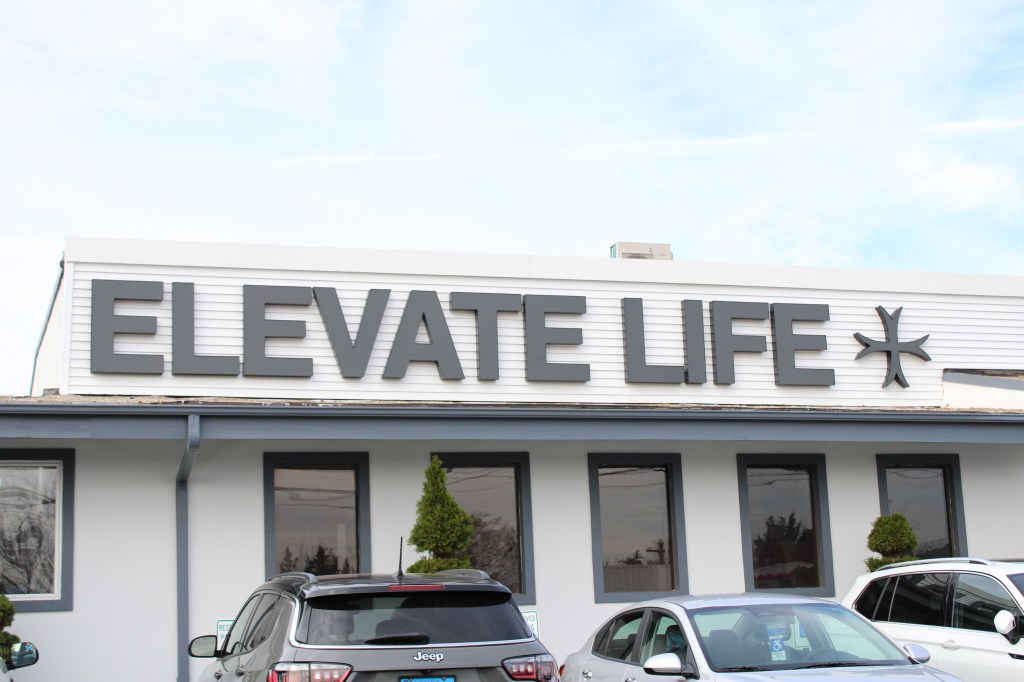
For my montage, I’ll be filming a variety of shots from Elevate Life, my local church in my hometown. My church has written a tremendous story in the past two years, which is why I am passionate about being able to share its story. When my pastors decided to pass the baton two years ago, there were only 40 people in the congregation. Since that day, the church has grown to over 1,000 congregants weekly. After outgrowing our previous facility, the church recently purchased an old banquet hall on the Wallingford-Meriden, Connecticut border and renovated it. The building officially opened in September. This montage will be shooting areas of the brand new space.
Although I am excited to begin production, I am aware that there may be challenges. For example, some things in the new building might not be on, or function as they usually would on a Sunday, since I am coming by during the week. I will have to work with what I got, and with my video editing skills, make it look as good as possible.
In preparation, I compiled a bunch of different shots inside and outside the church, using some of the new composition techniques I learned. These shots include the rule of thirds, balance, angles, perspective, and more. For these shots, I used my Canon EOS Rebel T7, although I did use my iPhone 14 for a couple of them. I had forgotten my SD Card the first day, and used my camera to retake the photos the next day… except I couldn’t retake my car photo because the parking lot was packed. Lesson learned: make sure you have the SD card whenever you bring your camera somewhere.
Next, I completed a pre-production template to outline the objective of the video, as well as my general plan. This also includes a storyboard, allowing me to put what I learned in the readings into practice.
Now, I must note that my handwriting is somewhat messy, and that I am by no means an illustrator despite my background. I have tried my best here — please bear with me! However, despite my lack of illustration skill, I generally enjoyed being able to see the ideas that I had in my head on paper. The storyboard process allowed me to better visualize the video I will be making. I can’t want to show you the finished product!

 Perfectly Imperfect
Leave a comment