Reading and Writing
I recently purchased a Blue Yeti microphone to record my podcasts. It came in the mail this week, and I know that it will be an absolute game changer for my content. The sound quality is an extreme level better from what I used to have. It just goes to show how far equipment can take you.
But equipment can’t take you farther than your effort can. It’s been said that work surpasses talent, and I absolutely believe that work surpasses technology as well. If you have the best podcast equipment, but you suck at podcasting, your podcast is still going to suck.
That’s why I enjoyed Filippo Gaetani’s article for Sonicbids, “7 Secrets for Getting Pro-Sounding Vocals on Home Recordings.” Now, the article does focus specifically on music production, but the tips work for recording podcasts as well.
The banner image for this article is a makeshift soundbooth made out of blankets. According to Gaetani, “In any case, you can build a simple vocal booth using old blankets, curtains, mattresses and pillows. You could even add a few rough wood panels to create a more natural sound.” I find this to be an incredible tip, because it shows that good content creators should be able to work with what they got. Even if you don’t have an actual soundbooth, you can be resourceful and use things that you already have – but in a different, albeit more creative way.
The article also helped me to decide that from here on out, I’ll be recording my podcast in my bedroom. “You’ll want to avoid cavernous rooms with reflections and reverberated sound” writes Gaetani, “because it will affect the quality and the control later in the mixing process.” My house has a lot of wooden floors, with the exception of my bedroom, which has a carpet. That, coupled with my bed of blankets and pillows, makes it the best space to record audio. However, should I want to do video one day, I will need to invest in some sort of background to appear more professional.
One tip from the article that I learned the hard way this week when recording my podcast (more on that later) is Gaetani’s third point: “Position your mic and pop filter correctly.” Now, I don’t have a pop filter, but I do have my new Blue Yeti mic – and I did not use it correctly for the first three tries of my podcast recording. I positioned myself too close to the mic, leading to a tremendous amount of clipping. What I should have done is test different distances from the mic. Gaetani explains, “Try close (two or three inches) or mid-distance (one foot) mic’ing, depending on which sound works best for your track.” Instead, I went right into the recording, and in the long run, I had spent more time and effort re-recording the entire podcast multiple times.
The second article I read was on Videomaker, entitled “Sound Advice: Editing Audio for Video.” This article shares a unique way to focus on audio while editing a video. “Normally, we edit for the best possible picture,” writes the author, “but this time we’re editing the audio portion of the story, not the images. (I’d recommend editing with your eyes closed, but that makes mousing somewhat difficult.)”
Undoubtedly, this is a very different way of thinking. When I edit videos for my social media role, I specifically focus on the video, and the audio is a second thought. But this article stresses the importance of keeping audio production at the front and center, choosing audio editing over the video cuts.
Why? “Your primary objective for now is to tell the story in the smoothest, most logical manner, complete with a beginning, middle and end.” Admittedly, this makes sense – no matter how good your video recording is, the point of post-production is to effectively tell a story, and that starts with working with the base of it.
Since video is a concern, the author also addresses it. “Once you’re happy with the sound on your video, it’s time to “fix” the images.” The author recommends using fade transitions, or placing B-Roll over the spots where there are jump cuts. The author also defends this perspective. “Is all this trouble really worth it? Absolutely! Often, it’s much easier to repair a handful of video transition problems than to try to fix the sound.”
Personally, I think this article strikes a good balance between editing audio and video when it comes to working with both in a project. However, I’m not a huge fan of using fade transitions all over the place. I would much rather place B-Roll in spots where it’s needed, or focus on video over audio in certain spots of the project.
Research to Inform
To further understand the importance of audio when it comes to video projects, I did some searching for videos with fantastic audio. These videos don’t just have clear dialogue, but use a balance of music, ambient audio, and sound effects to create a compelling production.
Doing this research required strong attention to the audio – and it made me appreciate audio production even more. Of course the video is important, but I realized through this practice that much of the emotions present in a video are specifically conveyed through music and other sound effects. I mean, imagine what an intense Netflix documentary trailer would sound like without cinematic music (check out the last video in this section).
The first is a promo video for NYC-based real estate firm SERHANT. Founded by real estate TV personality Ryan Serhant, the video has an incredibly high production value for a 3-minute overview of the company. Although it doesn’t use a lot of ambient audio, there are select moments where it is used; specifically in brief outdoor shots of the city. (Notably, there is a specific moment where someone opens the door, and the city’s bustling traffic is briefly heard). I find this video’s use of audio interesting, as it uses a lot of classical music – especially for a company boasting its use of technology, AI, and social media throughout the entire production. However, the music does seem to create an inspirational setting when coupled with the video, with fast transitions, cuts, and motion graphics used multiple times. One part I especially liked was at the 1:00 mark, where the music suddenly changes to match the vibe of the “virtual world.”
Another video that I find to have great audio is from a company called Bolt. When I came across their video on YouTube a couple months back, I had no idea who they were or what they do. From what I found, they are a transportation service in Europe. The video uses upbeat and energetic music, coupled with a beeping sound effect that pairs well with the animated text (it reminds me of a robot). Quick “swoosh” sound effects also match the fast-paced transitions that are used in the video. Additionally, there is a very effective use of ambient audios in a variety of different locations from 1:15-1:18.
Audio is important in commercials as well – especially when they’re used for a company like SONY, which is known for their audio products. And when you end up partnering with a pop star like Olivia Rodrigo, and use her song in the commercial, you have to get it just right. This SONY video uses Rodrigo’s song “Obsessed,” but also uses an amazing mix of sound effects and ambient audio. A sound effect is used every time Rodrigo switches something on her earbuds, demonstrating a shift in how the product is used. Additionally, there are brief moments where ambient audio is used to demonstrate that Rodrigo is on a busy subway, and these sounds can also be heard at the end when she is at the subway stop. Overall, there are noticeable shifts in the audio, depending on what is being highlighted in the video – and it is balanced perfectly and effortlessly throughout.
Because I believe that every human is on this planet to make a positive impact on those around them, I love content that seeks to inspire others. This video was created by Edward Lee, who I originally found on YouTube after watching his Notion tutorial a couple weeks ago. This video focuses on Ant Kai, a shoe designer in Seattle, and is all about creativity and following your passions. There is a lot of ambient noise of machinery in Ant’s studio, as well as the noise of the street as he enters the shoe store. The music deliberately switches for a variety of different moods, yet still manages to keep the energy throughout. Sound effects, such as that as a camera shutter and also swooshes for fast transitions, add an additional layer of depth and motion to the audio.
For my last video, I’m showcasing a random video that showed up in my YouTube recommendations. It consists of two parts – a brief overview of how to create a video that looks like a Netflix documentary, and a (comedic) example of a video shot like a Netflix documentary. Focusing on the audio opened my eyes (or should I say, ears) to how the audio makes or breaks the entire video. In the second half, intense cinematic music is used. The video starts off with dystopian whistles, and eventually builds up to an ultimately climatic point with the son and mother yelling at each other over lost toast.
Create
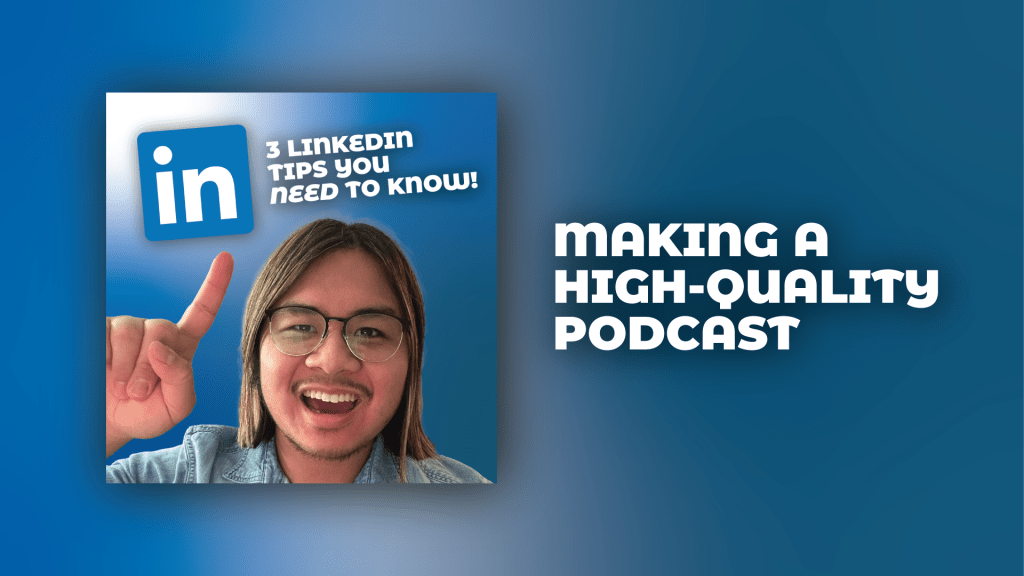
Alright, everyone! If you checked out last week’s blog post, you know that I was planning to record a podcast episode about how to maximize your use of LinkedIn. I’m now proud to share that full episode here – and it is also available in full on SoundCloud (and will be available on YouTube soon). I’d love to hear your thoughts, so feel free to reach out in the comments or on my Instagram @seanformantes.design
For this episode, I used my new Blue Yeti microphone – and it sounds absolutely incredible. The sound is incredibly clear, and I will always be using it for all of my content in the future. I especially like how it has a headphone jack – as a musician, I have those good headphones that make the audio sound crisp, and I enjoyed being able to hear my voice through it while recording.
This week, I also used Adobe Audition to edit for the first time. Considering that Audition has a lot going on in terms of features, I am surprised to have found it to be moderately easy. I’m already fairly familiar with Premiere Pro, so some of the features seemed vaguely familiar. I’m excited to have finally learned more about the program, and am happy that I will now be able to use it to edit my own podcasts.
Taking everything I learned about audio this week, I used a lot of different sound effects throughout the episode, and I’m extremely pleased with the result. Focusing on the audio added a whole new dimension to my podcast – and now that I know how important audio is, I will always focus on it.
Audio is a true differentiator when it comes to a good production!

 Perfectly Imperfect
Leave a comment